How to book a home cleaner on WhatsApp in Singapore
Send your postal code, home size, hours and preferred days in one message. You should get real open times and an exact price, then pay by link.
By the HomeMaster team · · Updated · 5 min read
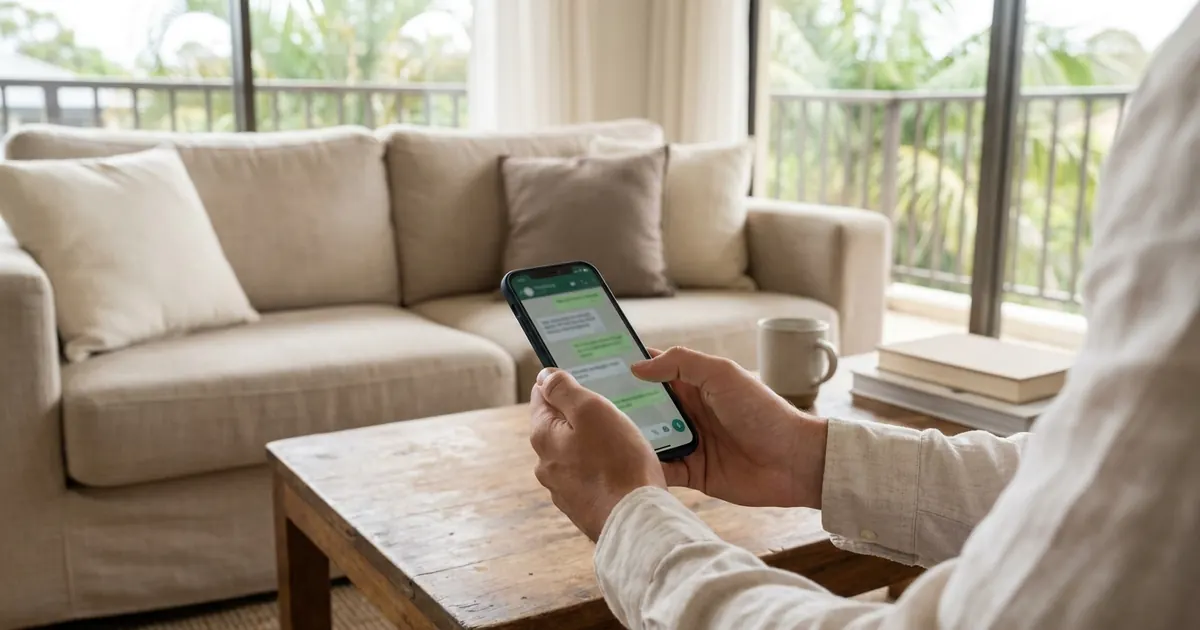
To book a home cleaner on WhatsApp in Singapore, send one message with your postal code and unit number, the type of home, how many hours you want, how often, and the days that suit you. A good booking chat replies with real open times and an exact price, puts everything on a confirmation card, and then sends a link to the company's own payment page. You should never need to type card details into the chat.
That is how booking works with Helen, our AI assistant on WhatsApp, and it is a fair standard to hold any cleaning company to. This guide covers what to send, what should come back, what to check before you confirm, and how to stay safe.
What to send in your first message
Most back-and-forth in a booking chat comes from missing details. Put these in your first message and you will usually get real options straight away:
- Your postal code, floor and unit number. Coverage depends on which cleaners work near you, so this is the first thing any company checks.
- The type of home. "4-room HDB, two bathrooms" or "3-bedroom condo" tells the company far more than the floor area.
- How many hours. Sessions are usually booked in whole hours. If you are unsure, say so and ask for a suggestion. Our guide to how many cleaning hours a flat needs gives starting points by home type.
- How often. One-off, weekly, or every two weeks.
- When suits you. "Weekday mornings" or "Saturday afternoon" is more useful than a single exact time, because it gives the company more slots to offer.
- Anything unusual. Pets, ironing, a room to skip, or a first clean after a long gap.
A message like this works well: "Hi, I'd like a cleaner for my 4-room HDB flat with two bathrooms. Postal code (your 6-digit code), unit (your unit number). Three hours every two weeks, ideally a weekday morning. We have a cat."
What should come back
A booking chat worth using answers with specifics, not "we will get back to you".
- Real open times. Actual dates and start times you can choose from, checked against the cleaners' calendars.
- An exact price, before you commit. The figure should include GST and should not change once you say yes.
- A straight answer on what is not included. If you ask for something the company does not do, it should say so rather than take the booking.
With HomeMaster, a one-off 2-hour clean is $27/hour and a one-off 3 to 4 hour clean is $25/hour. A weekly or every-two-weeks 3 to 4 hour slot is $20/hour, and a prepaid pack of three eligible 3 to 4 hour sessions is $18/hour. All rates include GST, weekends and public holidays cost the same as a weekday, and there is no booking fee or travel fee. For a regular slot, Helen also asks whether you would like to pay for three visits upfront at the pack rate or one visit at a time.
If a quote in any chat is vague ("from" a figure with no final price) or the company asks for a deposit before it has shown you a date, slow down. Our guide to reading a cleaning quote lists the questions worth asking.
The booking card: check it before you tap
Before anything is booked, Helen sends a card that sets out the whole visit in one place: the date and start time, your address, the length of the clean and how often, and the price. Underneath are two buttons, "Yes, book it" and "No, cancel".
Take ten seconds to check it:
- Does the weekday match the date you meant? "Next Friday" is easy to misread, by people and by software.
- Is the unit number right? A cleaner at the wrong door is a wasted visit.
- Are the hours and frequency what you asked for?
- Is the price the one you were quoted?
If anything is wrong, just type the correction in the chat instead of tapping. Nothing is booked until you confirm the card.
Paying by link, on the company's own page
The first time you book, Helen sends a secure link to our payment page on homemaster.co once you confirm. Card and Google Pay work for every booking, and one-time bookings can also be paid by PayNow or Apple Pay. There is nothing extra for paying by card or PayNow.
The rule to apply to any service is simple. Pay on the business's own payment page, reached from a link it sends you. Do not transfer money to an individual's bank account, and do not send card numbers, photos of cards or one-time passwords in a chat. A legitimate company has a proper way to take payment and does not need any of those.
After you book: the chat keeps working
The same chat carries on after the booking, which is most of the point of using WhatsApp.
- Receipts arrive in the chat once you have paid.
- Reminders come before each visit.
- Who is coming: you can ask Helen at any time who your cleaner is.
- Changes: message Helen to reschedule, skip or cancel a visit. You get one free cancellation or reschedule per calendar month when you give at least 48 hours' notice, and she tells you plainly if a fee applies before anything is charged.
- Questions about supplies, access or what a clean covers can go to the same place.
There is no app to install, and our team steps in when a person is needed. If you prefer a form, you can also book on the home cleaning page or go straight to our booking page.
Staying safe when you book on WhatsApp
WhatsApp is convenient, which is also why scammers use it. A few habits protect you whichever company you message:
- Start the chat from the company's own website, not from a number someone forwards to you or an advert you cannot trace back.
- Turn on two-step verification in WhatsApp's settings and check your linked devices from time to time. The Singapore Police Force recommends both in its advisory on compromised WhatsApp accounts.
- Never share a WhatsApp verification code or any one-time password with anyone. The Cyber Security Agency of Singapore gives the same advice. A cleaning company has no reason to ask you to send a code back in the chat.
- Be wary of prices far below everyone else's and of deposits to personal accounts. Our guide to home cleaning scams covers the common patterns.
- If something feels off, check it with the ScamShield Helpline on 1799 before you pay.
Helen never asks for card details, a bank transfer to a person, or a code in the chat. If a message claiming to be us ever does, do not reply to it.
Frequently asked questions
Do I need an app to book a cleaner on WhatsApp?
No. With HomeMaster the whole booking happens in your WhatsApp chat with Helen. The only other page you open is our payment page on homemaster.co, reached from the link she sends after you confirm the booking card.
What if none of the times offered suit me?
Say which days or times would work instead, and Helen checks again. She only offers times that are genuinely open, so if a particular slot is taken she will suggest the nearest real alternatives rather than promise one she cannot confirm.
Can I book a regular weekly cleaner on WhatsApp?
Yes. Tell Helen you want weekly or every-two-weeks visits and the days that suit you. For a regular slot we aim to keep the same cleaner where possible, and if they are unavailable we arrange cover. You can also choose to pay for three visits upfront at the pack rate.
Is it safe to pay through a link sent on WhatsApp?
It is when the link opens the company's own payment page and you started the chat from its website. Our payment links open a page on homemaster.co. Never pay by transfer to a personal bank account, and never send card details or one-time passwords in a chat.
Sources
- Police Advisory Involving The Compromise Of WhatsApp Accounts (12 March 2026), Singapore Police Force
- Protecting Yourself From WhatsApp Hijacking, Cyber Security Agency of Singapore
Need a hand at home?
Tell Helen what you need on WhatsApp. She replies with real open times and the exact price, GST included, and weekends cost the same as weekdays.